
What Not to Do in Digital Signage
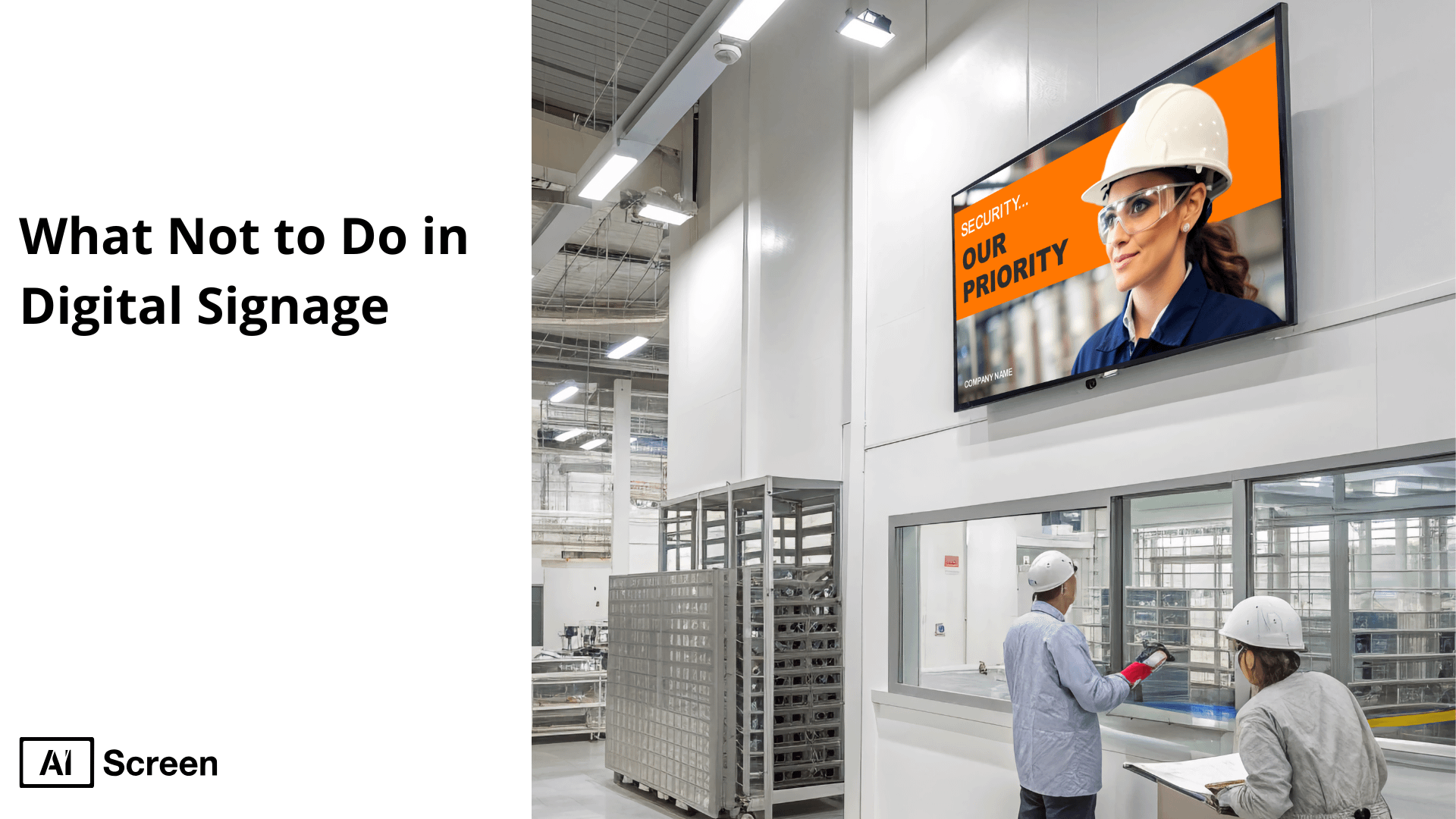
What not to do in digital signage may involve making significant changes on the effectiveness of digital signage. Signage with poor quality, out of date copy and technical breakdown can negatively impact customer experience and brand reputation. 57% of communications professionals have incorporated digital signage into their workflow, and employees have reported a 20-21% increase in productivity. But most of them fail due to the lack of optimization of the content length or viewing context, as reported by Grand View Research.
This article will explain the top pitfalls to be avoided such as content overloading, inappropriate location, and stale messages. We will provide you with the best practice to make sure your digital signage can attract the attention, convey the information clearly and increase brand credibility.
Why It’s Important to Avoid Mistakes in Digital Signage
It is important to avoid mistakes in digital signage as digital display is essential to customer and brand communication, providing dynamic, real-time messaging to customers and prospects, delivering messages that can achieve dramatic traffic and drive decisions and improve brand perception.
But simple strategy, content, design, or technology errors can greatly undermine ROI, customer perception and brand influence.
- Undermined ROI: Using the wrong hardware (e.g. low brightness, broken media players), lack of strategy results in lost investment in displays that do not attract attention, or needs redo, and maintenance.
- Ineffective communication: When the screen is overcrowded, the text is too small, the visuals are pixelated, or the content is out-of-date, the viewers can lose the track of your message or get confused and your communication will not be effective.
- Damaged brand image: Mistakes like unprofessional installations, stale or irrelevant messaging, and poor readability project incompetence and erode trust.
- Missed engagement & conversion opportunities: Digital sign lacks coherent goals or strong CTA, regular updates, etc, which allows to fully use its power to affect behaviour or conduct purchase.
- Customer frustration: Technical issues, unreadable screens, or cluttered displays frustrate audiences, decreasing dwell time and diminishing brand recall.
By avoiding these mistakes, businesses can ensure digital signage remains a cost‑effective tool that enhances brand communication, deepens engagement, and drives measurable results, turning every screen into a strategic asset.
Up to 80% of digital signage rollouts fail to meet performance targets due to poor planning, inadequate placement, mismatched hardware, or network issues, according to Market.us.

What are the Critical Digital Signage Mistakes to Avoid?
The critical digital signage mistakes to avoid can be disastrous to your bottom line, interaction, and reputation. Not all, but these are some of the most frequent mistakes that a small business or a big chain should watch out not to make in order to get results.
1. Overloading Screens With Cluttered Content
Overloading screens with cluttered content may mix up the audience and fail in effectively conveying the message to the audience.
Consequence: Giving too much information to the digital sign screen provides a form of visual clutter, which overwhelms viewers and results in a 70% faster drop off in viewership under conditions of overwhelming and difficult to read information.
Fix: The 5×5 rule: No more than 5 words per line, 5-second message, easy to read and to understand.
2. Ignoring Audience Context & Location
Ignoring audience context and location results in irrelevant messages that will weaken engagement and efficacy.
Consequence: When not factoring in the context and location of audience, the content becomes irrelevant making the viewer lose interest hence lower effectiveness.
Fix: Localize content to the right audience and place and make it local.
3. Using Low-Resolution or Pixelated Media
Using low-resolution or pixelated media can negatively affect the visual effect you want to create, and as a result, your signage will seem unprofessional and fail to impress.
Consequence: low-resolution or pixelated media has a strong negative effect on visual presentation, and viewership turns off in 70% faster numbers when the media is too much or too confusing.
Fix: Use quality images and videos in order to keep it clear and professional.
4. Skipping Content Updates & Maintenance
Skipping content updates & maintenance may lead to making your messages out of balance and these may result in a poor engagement.
Consequence: Failure to perform routine update of contents and maintenance will result in obsolete information and this contributes to 60% higher perceived irrelevance in case of obsolete content.
Fix: Timed refreshes should be done once a week and RSS/ API feeds should be used to automatically update content so that your signages are kept fresh and current.
By avoiding these critical mistakes, businesses can enhance the effectiveness of their digital sign, ensuring clear communication, audience engagement, and a positive brand image.
Over 60 % of digital signage campaigns underperform, primarily because of content errors such as cluttered design, low-quality visuals, or outdated messaging, according to MarketsandMarkets.
How to Fix These Mistakes: Pro Strategies

To fix these mistakes in digital signage, companies have to incorporate some clear strategies and implementation of appropriate tools which comply with these best practices.
When you avoid such problems as bad content, incorrect placement, and no interaction, it is possible to transform digital screens into that tool that will powerfully reach the audience to raise great results.
Content Optimization Framework:
A content optimization framework is crucial for achieving success with digital displays. The emphasis on the target audience and its needs will make your content more efficient and trigger customer attention.
- Rule 1: Focus on audience-first messaging that solves customer pain points: The content should always be customer-centric. This includes reading the target audience and ensuring that the messages relay directly to them in terms of desires and challenges. Serious issues will be resolved, thereby making the message more appealing and triggering better involvement.
- Rule 2: Ensure mobile-to-screen consistency to extend campaign impact: Given that consumers are using more devices to access the content, it is important that there is consistency between the mobile experience and the electronic screens, to make campaigns far-reaching. This will guarantee a smooth experience on the part of the users no matter the point he/she comes across the content and thus it makes the impact of the campaign more effective.
- Rule 3: Implement data-driven A/B testing, testing at least 3 versions of content to identify the most effective messaging: A/B testing is a priceless way of testing digital display content. With a number of A/B tests, you are able to know what appeals most to your target audience by trying various forms of content. Form and test at least three varieties of content to compare performance and maximize the messaging and visual impact.
Technical Checklist for Flawless Signage:
A technical checklist for flawless signage is key to preventing common mistakes. The plan is useful in avoiding possible traps in the process or in making sure that there are no snags during the operation.
- Brightness ≥ 1,500 nits (sunlit areas): Digital signage screens are required to be very bright especially in outdoor settings or places that receive intense sunlight. Make sure that the brightness of your screens is no less than 1,500 nits to ensure clarity and visibility in sunlight areas.
- Failover backups for offline playback: Keep the backup plans readily available or have backups to guarantee continued play of your content in case the connection is closed. Failure backups are a savior and will guarantee you that even when the network is down, your digital display would always have been up and running even when it is not connected to the network.
- Automated content expiration dates: Set any content to expire after a set time so that old data does not pile up on your content board. Automation of this process will guarantee that new and pertinent content is displayed all the time and it will deactivate expired content, without the need of human input.
Fixing Common Digital Signage Mistakes: Quick Reference Table
| Category | Strategy / Feature | Why It Matters | Pro Tip |
|---|---|---|---|
| Content Rule 1 | Audience-first messaging | Aligns with customer pain points | Use customer personas to tailor content |
| Content Rule 2 | Mobile-to-screen consistency | Creates a unified brand experience | Match social media and digital displays |
| Content Rule 3 | A/B test 3+ content versions | Identifies best-performing messages | Use digital signage software for testing |
| Tech Check 1 | Brightness ≥ 1,500 nits | Ensures screen clarity in sunlit areas | Use high-nit digital screens |
| Tech Check 2 | Failover for offline playback | Prevents blank screens during outages | Choose players with local caching |
| Tech Check 3 | Automated content expiry | Keeps content fresh and relevant | Schedule content end-dates in CMS |
Personalized calls-to-action (CTAs) can convert 42 % better than generic ones, showing that neglecting audience targeting is a missed opportunity, according to Statista.
What Mistakes Should You Avoid When Integrating Digital Signage With Other Systems?

Integrating digital signage with other systems, such as POS, inventory management, or CRM systems, can streamline operations and enhance customer engagement.
However, businesses often make mistakes that lead to inefficient integrations, content issues, and poor user experience. This section highlights these mistakes and provides strategies to avoid them.
1. Compatibility Issues
Compatibility issues are among the most common mistakes when integrating digital display with POS, CRM, or inventory management systems. Such problems arise when diverse systems are not interconnected or when they do not cause any errors, delays, and disruptions.
- What Not to Do in Digital Sign: Do not believe that all the systems can become automatically compatible without careful testing. Do not interconnect systems, which utilize various protocols or have software applications that were not established to collaborate with one another.
- The Solution: Make sure that your mobile menu board program is compatible with any already existing business software. It is possible to pay attention to the working with the provider which provides the solutions which are supposed to be integrated on the basis of the desire to have no problems with all the systems communication.
2. Data Syncing Problems
Data syncing problems arise when connecting your digital display and backend systems, like POS or inventory management, there is the problem of delay or mismatch of updating the data. This may cause old promotions, wrong pricing or wrong information of products to appear.
- What Not to Do: Do not forget to introduce real-time data syncing. Avoid cases when your electronic displays contained obsolete information or biased information because of unstructured data updates among different systems.
- Solution: Add a powerful and real-time data synchronization system that keeps the contents of your digital displays dynamically updated to the latest information of your business systems. The errors could be avoided by performing regular checks on the accuracy of sync.
3. Overlooking User-Friendliness
Overlooking user-friendliness may result in complicated user interfaces, which are time-consuming and a source of frustration because employees have to deal with inefficiencies in their operations.
- What not to Do: Avoid selecting systems that need a lot of technical know-how on a daily basis. Do not use software against which non-technical employees find it very hard to manage their electronic displays due to advanced features.
- Solution: choose user-friendly and easy to use, digital signage solutions. Identify a solution that needs very little training and that could be easily handled by your staff since it will almost integrate and work very smoothly hence minimal maintenance.
4. Poor Placement of Digital Screens
Poor placement of digital signage screens may nullify the value of the integration with your other business systems. When screens are put in places that people cannot see easily or in a place where there is not much traffic then the intended audience will not be reached by your message.
- What Not to Do: Do not put the screens where they do not see them or where audience cannot easily see them. Stay away from screens obscured by some other objects or being placed in a location that is not customer-friendly.
- Solution: Be smart when positioning screens by stacking digital display in areas of high traffic since this is where the target market is probable to notice it. Put into consideration visibility, size of the screen, distance at which your customers view or observe what is on display and how customer bound to that space will go about it naturally.
5. Failing to Update Content Regularly
Failing to update content regularly can lead to disengagement. Static content will quickly become outdated and irrelevant, which can hurt brand perception and reduce the effectiveness of your signage.
- What Not to Do: Don’t leave the same content running for weeks or months. Avoid letting outdated promotions, products, or messages dominate your screens, which could alienate viewers and impact engagement.
- Solution: Set up an automated content update system to ensure that your digital display remains fresh and relevant. Regularly schedule updates, and use real-time data syncing to display current information such as promotions or pricing.
By avoiding these common mistakes, you can ensure that your digital display is seamlessly integrated with other systems, driving greater customer engagement, improving operational efficiency, and delivering valuable content to your audience.

How Does Poor Network Connectivity Disrupt Digital Signage Functionality?
Poor network connectivity disrupts digital signage functionality, leading to interruptions in content delivery, errors, outdated information, and overall display issues. Understanding these disruptions and implementing solutions is crucial for maintaining effective digital display operations.
Errors in Content Delivery
Errors in content delivery happen when a digital signage system cannot access or load the required content due to a poor network connection. This could result in a blank screen, missing information, or incomplete content being displayed.
Don’t ignore the importance of a stable network connection. Avoid relying on unreliable internet sources that cannot handle the bandwidth demands of continuous digital displays updates and streaming content.
Solution: Ensure your digital signage system is connected to a stable, high-speed internet connection. Invest in redundant internet connections (e.g., 4G or 5G failover) to avoid disruptions in case of network issues, ensuring that content delivery is always consistent.
Outdated Information
Outdated information appears on digital signage displays when the content management system (CMS) cannot sync with the server due to network issues. This is especially problematic for businesses that rely on real-time data, such as promotions, prices, or product availability.
Don’t let poor network connectivity hinder your content syncing. Avoid relying on systems that cannot update content regularly or in real-time, leading to inaccurate or stale information being shown to customers.
Solution: Use an offline mode or a local cache system that allows digital signage displays to store recent content locally. When the connection is restored, the signage will automatically sync with the server to update the content. Additionally, ensure that content updates are scheduled at regular intervals to minimize the impact of network downtime.
Display Disruptions
Display disruptions occur when poor network connectivity causes intermittent failures, leading to screens freezing, stuttering, or showing distorted content. This disrupts the viewing experience and can damage the reputation of the business.
Don’t ignore connectivity checks. Avoid waiting for issues to resolve themselves when you notice display stuttering or freezing; these can be signs of network instability that need immediate attention.
Solution: Implement regular network monitoring to detect potential issues early. Equip your digital signage with failover mechanisms such as automatic reconnection to backup servers or cloud storage. Invest in hardware with robust network handling capabilities to maintain smooth performance under various network conditions.
Why is It Crucial Not to Ignore Regular Updates for Digital Signage Content?
Ignoring regular updates for digital signage content can lead to significant risks, including displaying outdated promotions, incorrect pricing, or irrelevant information. These issues can confuse customers and harm the brand’s credibility.
Digital signage is a visual medium meant to engage customers and deliver timely messages that are aligned with current offers, products, or services. When content is not regularly updated, it may create a negative impression and hinder customer engagement.
Risks of Outdated Content in Digital Signage
Risks of outdated content in digital signage can lead to confusion and frustration for customers. For instance:
- Expired promotions: Showing offers that have already expired can mislead customers, leading to dissatisfaction and frustration when they attempt to claim the deal.
- Incorrect pricing: Displaying incorrect prices can damage a brand’s reputation and trustworthiness, as customers may feel deceived when they’re presented with higher prices at checkout.
- Irrelevant information: Content that no longer aligns with the business’s objectives or target audience can reduce the impact of the message, ultimately diminishing the effectiveness of the signage.
- Brand credibility damage: Failing to update content regularly makes a brand appear negligent or out of touch with its audience, causing long-term harm to its reputation and customer trust.
Benefits of Regular Content Updates for Digital Signage
The benefits of regular content updates for digital signage include driving customer engagement and enhancing the overall effectiveness of the signage. These include:
- Enhanced customer engagement: Frequent updates ensure that digital signage content remains relevant and interesting, which helps keep customers engaged. With fresh content, businesses can attract more attention, whether through new promotions, seasonal changes, or current news.
- Improved content strategy: Regular updates allow businesses to adjust their content strategy based on performance analytics and customer behavior. A dynamic content approach helps keep customers interested and informed. A content creation guide can help streamline this process by offering templates or suggestions for regularly updated content that resonates with your audience.
- Boosted credibility: Keeping digital signage content up-to-date enhances the brand’s credibility. When customers see timely and accurate information, they are more likely to trust the brand and return for future purchases.
- Higher conversion rates: By aligning digital signage content with active promotions or seasonal offers, businesses can encourage impulse purchases and boost conversion rates.
- Multi-screen consistency: For businesses using multiple screens, consistent content updates ensure that all displays show the latest information, offering a cohesive customer experience across different locations.

Avoid Mistakes with AIScreen’s Fail-Proof Digital Signage!
Avoiding mistakes with AIScreen’s fail-proof digital signage is key to ensuring that your digital signage operates smoothly and effectively, thereby maximizing customer engagement and brand visibility.
AIScreen, a leading provider in the digital signage industry, offers robust solutions that help businesses avoid common pitfalls, such as outdated content, poor placements, and technical issues.
With AIScreen’s reliable technology and seamless integration, you can ensure your digital signage always delivers the right message, at the right time, to the right audience, boosting brand credibility and customer trust. Contact us.
FAQs
What’s the #1 most ignored digital signage mistake?
The #1 most ignored digital signage mistake is failing to update content regularly. Many businesses neglect to refresh their displays with current promotions, correct pricing, or seasonal information, which can confuse customers and damage brand credibility.
Can bad digital signage damage your brand?
Yes, bad digital signage can damage your brand. Outdated content, poor design, and technical issues such as frozen screens or incorrect information can create a negative impression, reduce customer trust, and ultimately damage your brand’s reputation.
How often should I update digital signage content?
The frequency of updating digital signage content depends on the nature of your business. Still, it’s crucial to update digital sign content at least weekly or whenever there’s a new promotion, product, or essential change. Regular updates help keep the content relevant, fresh, and engaging for your audience.
Is audio ever acceptable in digital signage?
Yes, audio can be acceptable in digital signage when used appropriately. It can enhance engagement, especially in interactive or experiential displays. However, it should be used sparingly and not in a way that disrupts the viewer’s experience or creates an uncomfortable environment.
What’s the easiest way to track signage ROI?
The easiest way to track signage ROI is through measurable metrics such as sales conversions, foot traffic, and customer engagement. Using analytics tools that integrate with your digital signage system can help you track how well your content is performing and whether it’s driving desired actions.


