
What Is Digital Signage? A Complete Guide
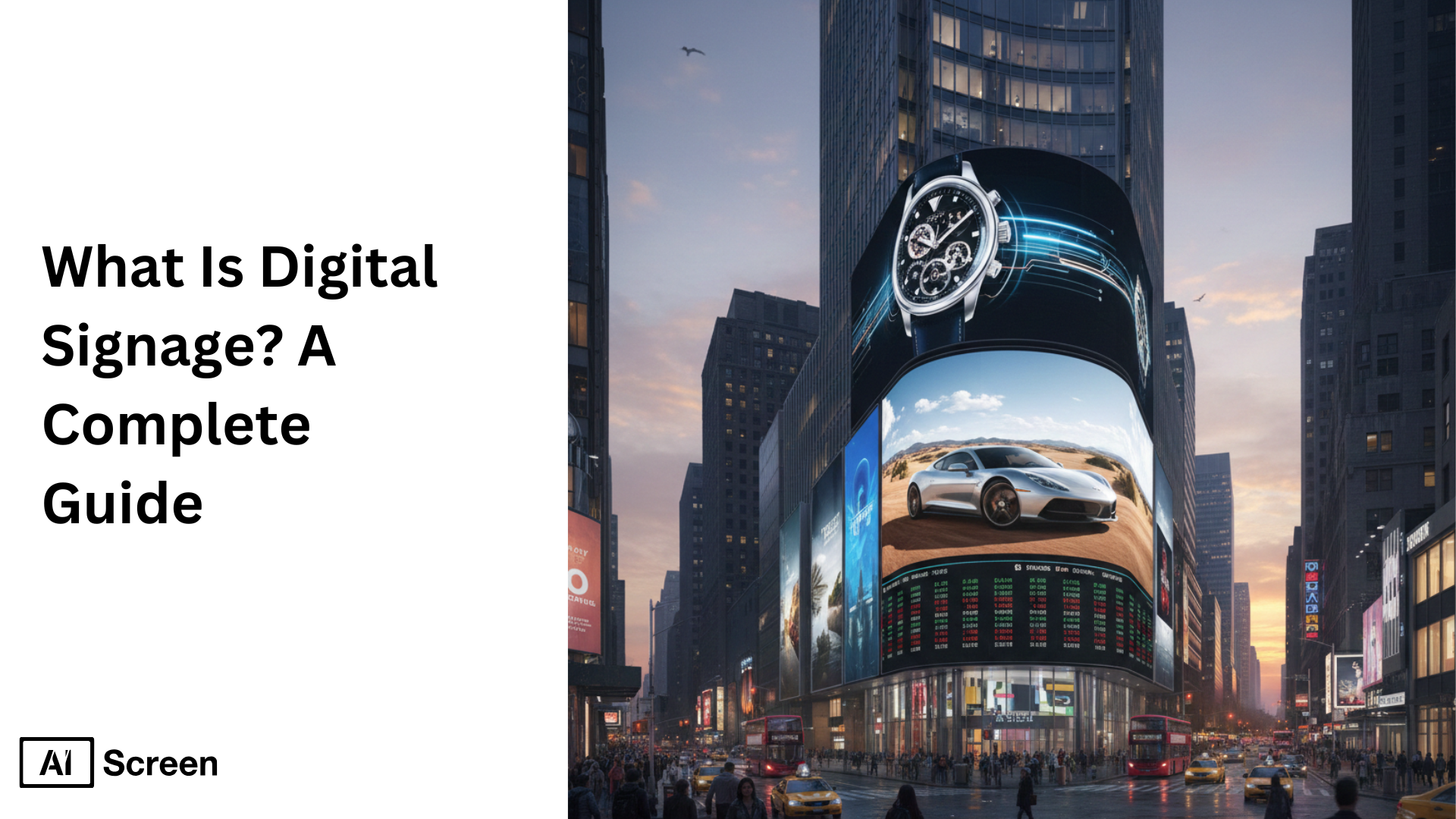
Digital signage is the practice of displaying content, advertisements, menus, presentation, announcements etc. on electronic screens in public or commercial area. Another great advantage of digital over printed signs is that a business can update digital signage remotely via software, whereas printed signage requires manual effort.
A restaurant may change its breakfast menu to lunch without changing a printed board, for instance. In a corporate office, multiple screens can be updated with meeting schedule from a single platform. According to MarketsandMarkets,the digital signage market is expected to reach USD 30.91 billion by 2032 from USD 21.07 billion in 2026, at a CAGR of 6.6% during the forecast period.
In this article, we’ll detail how digital signage works, the different types and uses of digital signage, comparison of the various display technologies and a step-by-step solution for digital signage using AIScreen.
What Is Digital Signage?
Digital signage is the use of a digital screen (TV, kiosk, video wall or LED panel) powered by digital signage software to present content within a physical space including information, promotions, directions, announcements etc. When people look for digital signage, they are looking for a digital version of all the posters and printed boards that are currently available, but which can be controlled and easily changed with software.
There are three main parts to a digital signage system
- Display,
- Media player,
- Content management software.
The message is displayed, the player plays the content, and the software manages what is shown on the screen. Some smart TVs come with an integrated media player, and others require an external media player to be connected via HDMI. After the system is set up, businesses can upload content, make playlists and schedule changes without having to make changes to each screen.
“Before businesses purchase digital signage hardware, they should consider the content, frequency of change and who will be responsible for it,a well-planned digital signage system with a simple display can be more valuable than a high cost screen with no clear purpose.” (CEO AIScreen)
What is Digital Signage Used For?
The best way to understand what digital signage is used for in real life is to see how digital signage is used day to day. Digital signage is not just for advertising, it can be used for communication and operational purposes.
Digital signage is used to promote new products, highlighting new product launches or limited-time products with attention-grabbing graphics that catch the eye at a glance. It also has a significant role to play in providing navigational information to customers, like directions in malls, hospitals, offices and airports which helps to minimize confusion and enhance the overall experience.
On the sales side, screens are frequently used for sales and discounts, and can be changed to different promotions without printing new posters. It is used for restaurants and cafés to show dynamic menus, change prices, items or dayparts on the fly.
Some brands take it a step further and develop interactive displays that allow users to browse options, explore products or interact with touch-based content. But, of course, digital signage is also popular for video content, whether it’s a brand story, a tutorial, an announcement or live updates.
Flexibility is the key to all these use cases. Content can be changed in seconds, visuals are much more interesting than print, and businesses are responsive without the expense or delay of reprinting content.
Imagine a retail company that has 10 stores. The company wishes to sell the same seasonal line in all markets, but the product might be available in some markets at different prices. Digital signage software enables the marketing team to centrally plan their content and distribute specific offers to specific stores. The team can make changes to the files remotely rather than sending them to each location.
What Are The Impactful Examples of Digital Signage?
We at AIScreen have done our research and found some great examples of impactful digital signage, such as McDonald’s and Coca-Cola who were early adopters and have seen the results of this technology firsthand and that is why it took off.
Digital signage can be used in a variety of ways, as demonstrated by global brands like McDonald’s and Coca-Cola. McDonald’s launched digital menu boards in thousands of locations, allowing for more flexibility in menu and promotions throughout the day. According to a September 2018 Forbes report, dynamic digital menu displays are linked to a 3% – 3.5% sales boost. Coca-Cola, on the other hand, opted for a more interactive and engaging advertising strategy with digital displays and interactive campaigns. Together, these examples show that digital signage isn’t limited to displaying information. It can also be used for marketing and customer communication.
The industry is expanding as well. The global digital signage market will expand at a CAGR of 8.2% from 2026 to 2033, reaching $58.42 billion by 2033, according to the report by Grand View Research. Other industry research has shown that digital displays can generate up to 400% more views than static displays, and a 2021 report revealed that 88% of restaurants in the U.S. were considering interactive digital menus. While these are all different metrics, they all indicate a trend toward digital signage for advertising, customer service and everyday business use.
What Are The Types of Digital Signage?
Digital signage is often referred to as “just screens” but there are many different types of digital signage all with a specific purpose. People typically discuss the types of digital signage in terms of where the screen is placed, how it is used and the purpose it is used for.
Each type has its own role in contemporary communication, ranging from basic visual loops to immersive and interactive experiences.
Digital Posters
Sometimes, the less, the better. Digital posters are among the easiest forms of digital signage, which are designed to cycle through a series of images, short videos or announcements.
They’re non-interactive, and they’re designed to deliver clear, quick messages that viewers only look at for a few seconds, such as in hallways, elevators, store entrances and waiting areas.
Digital Billboards
If visibility is the objective then scale becomes the focus. Digital billboards are large-format screens that are used in high-traffic areas like stadiums, malls, city centers, and highways.
They are strong and bright and can be used to create a strong promotional message that can be seen from a distance and can be used at different times of the day.
Interactive Digital Signage
This is where screens go from talking down to talking with. Interactive digital signage enables users to interact with the display via touch, movement or other means, making it interactive.
It’s at this point that digital signage software becomes a key element, the software that controls interactions, activates content and makes the display respond seamlessly to the user’s actions in a kiosk, directory or self-service station.
Interactive signage is a hospital directory, for instance. Visitors can choose a department find its location and follow instructions to the correct area. This is not a screen that just shows videos, but rather hardware and software that can interact with the user’s touch.
Digital Menu Boards
Menus are no longer static which is a great thing. Digital menu boards are signage that are typically used in restaurants, cafés and quick-service establishments and are specific to the industry. They enable real-time price, product and promotion changes without the need to reprint physical menus, and can ensure the same branding in multiple stores.
Digital menu boards are especially beneficial for restaurants that have different menus at different times of the day. A café may offer breakfast until 11 AM, lunch in the afternoon and evening offers later. The content must be readable from the ordering area, as well as the font size, spacing, and how many items are on the screen.
Outdoor Digital Signage
Outdoor screens have to work harder, and smarter. Outdoor digital signage is designed for open spaces where distance, weather and sunlight impact visibility.
They are designed to be bright, durable, and able to deliver information in real time, and they are often accompanied by instructions like a digital signage tutorial to help users set up and schedule their content.
Video Walls
When it comes to immersion, there’s no better way than this. Video walls are a collection of screens that are integrated into a single visual canvas, which is used in lobbies, control rooms, retail flagship stores and event spaces.
Their true strength is in the branding of power and the instant attention they are able to grab with cinematic imagery, rather than construction specifics. A video wall can provide a single visual space from multiple displays, but requires extra planning. The final result is influenced by screen alignment, bezels, synchronization and content dimensions. In smaller areas, a single large display might be easier to install and maintain.
These formats demonstrate that digital signage is not a one-size-fits-all solution, but rather a flexible communication tool that can be tailored to fit the space, audience, and message.
We feel the simplest digital signage solution is the best digital signage solution. An interactive touchscreen isn’t a must-have for a restaurant; a digital menu board will suffice. Likewise, a small office might be better served by one strategically placed information screen than a costly video wall. It’s about making decisions that make sense for the space and the people that will occupy it.
What are the Benefits of Digital Signage?
The benefits of digital signage are plenty. The real reason companies shift from posters to screens isn’t trendiness, it’s results. Digital signage turns communication into something flexible, visual, and measurable.
Instead of managing static materials, businesses gain a system that adapts in real time and delivers stronger outcomes across marketing, operations, and customer experience.
Key benefits of digital signage at a glance:
- Customization: Digital signage allows content to be tailored by location, audience, time of day, or campaign. Brands can personalize messaging across different stores or departments while keeping visual consistency, something static signage simply can’t offer.
- Eye-Catching Visuals: Motion, color, video, and animation naturally attract attention. Digital screens stand out in busy environments, helping messages get noticed faster and remembered longer compared to printed signs.
- Diverse Digital Signage Options: From posters and menu boards to interactive kiosks and video walls, digital signage supports a wide range of formats. This diversity allows businesses to choose the right display type for each use case, whether it’s promotion, navigation, or engagement.
- Real-Time and Reactive Content: One of the strongest advantages is speed. Content can be updated instantly to reflect price changes, promotions, announcements, or real-world conditions, without printing or manual replacement.
- Energy Efficient: Modern digital displays are designed to consume less power than traditional illuminated signage. Scheduled screen usage, brightness controls, and automated shutdowns help reduce unnecessary energy use while keeping communication active.
Why These Benefits Matter
The value of digital signage depends on how it’s used. A business that updates promotions every day may save considerable time by managing screens remotely. A company displaying the same permanent message for years might not need a digital screen at all. Screens also have electricity, hardware, and maintenance costs. The real advantage comes when regular updates, automation, or coordinated communication make those ongoing requirements worthwhile.
What Screens Can Be Used for Digital Signage?
The screen you select is the most important part of digital signage, as it dictates how your message is viewed, understood, and interacted with.
Digital signage doesn’t have to be on a single kind of display. Screens suitable for digital signage depending on the environment, visibility requirements, interaction and content objectives. Every type of screen has its own use, from the traditional indoor screens to the new visual technologies.
LCD Screens
If you have ever seen digital signage in an indoor environment, you’ve likely seen an LCD. The most popular digital signage displays are LCD screens in offices, retail stores, schools and restaurants.
They are available, affordable and provide crisp clarity for menus, announcements, dashboards and promotional material in controlled indoor settings.
LED Screens
Brightness is more important than visibility when distance is important. LED screens are designed for high-visibility areas like storefronts, large venues, and semi-outdoor environments.
They are also bright and large, making them perfect for promotional messaging in well-lit or busy environments.
Projection Screens
Sometimes the largest screen isn’t a panel. Projection screens provide a space-saving solution for large-scale displays without the need to install large equipment.
They are frequently employed in event spaces, auditoriums, exhibitions, or temporary installations where scale and visual impact are more significant than detail.
Electronic Ink
Motion is not required for all messages. Electronic ink (e-ink) displays are intended for information-rich, low-energy displays. They are typically used for schedules, room availability, pricing or notices, and they use very little power and can be read without frequent refreshes.
Tablets and Mobile Devices
The most positive thing about this is flexibility. Portable, temporary or interactive signage can be created using tablets and mobile devices. They can be easily installed, moved and updated, making them ideal for pop-up shops, check-in locations, events, or temporary campaigns.
Touchscreens
Interaction is the key when the objective is engagement. Whether it’s browsing directories, navigating maps, ordering food, or accessing information, touchscreens allow users to explore the content themselves. These displays are designed to be interactive and engaging, encouraging viewers to participate and explore the content. We at AIScreen introducing screens marketplace where you can find best screen options under your budget.
3D LED Screens
That’s where digital signage begins to sound futuristic. The 3D LED screens are a new type of display that can produce a sense of depth and illusion without the need for glasses. They’re still developing, but are becoming more visible in key places and outdoor advertising for their power to halt people.
Our Recommendation
If you’re thinking of purchasing several digital signage screens, try out one full system in the conditions that it will be used in. Look at the display’s rated operating time, application compatibility, screen orientation, and power/connection loss behavior. While a consumer smart TV might be ideal for a small indoor display, a business that requires constant use should opt for commercial displays that are rated for that use. It’s not always the most expensive screen that’s the best one.


How to Set Up Digital Signage with AIScreen
Setting up digital signage using AIScreen helps to push dynamic content to multiple screens. To set up, display videos, images and text on LCD or LED screens.
Content is managed using content management software, which enables businesses to schedule, edit and push content updates remotely. The ability to make screen updates remotely means that companies can customize their messages in real-time to different audiences, keeping communication timely and effective.
Step 1: Choose the Right Digital Signage Display
Select the appropriate digital signage display for the place, the people and the content. The displays range from LCD, LED, to OLED, with varying degrees of brightness, resolution, and viewing angles. For example:
Toshiba – Class C350 Series LED 4K UHD Smart Fire TV (43″-75″)
Toshiba – Class C350 Series LED 4K UHD Smart Fire TV features 4K resolution, rich colors and a contemporary design that is suitable for different business environments. Price range is $210 – $649.99.
TCL – Class S5-Series 4K UHD HDR LED Smart Google TV (43″-85″)
Featuring Dolby Audio and dynamic color enhancement, the TCL – Class S5-Series 4K UHD HDR LED Smart Google TV offers an immersive viewing experience. Price range is $179.99 – $749.99.
When assessing the size of the room, lighting conditions, and customer flow, companies can choose the right digital signage screens for their needs.
Step 2: Login And Create an Account in Your Digital Signage Management App
Create an AIScreen account or log in to your existing account. Open AIScreen management platform on your computer, and install AIScreen application on your compatible TV or media player. (if you TV is not smart) Follow the on-screen instructions to set up your display for pairing.
Step 3: Pair Your Devices with the Digital Signage Software
Connect devices to the digital signage software to sync content to all screens. In the dashboard, click on the “Screens” section and click “Add Screen.” Your display will show a unique pairing code.
Copy and paste this code into your management dashboard to finish connecting. This process enables you to match displays with signage platform functionality, so that content is always up to date and tailored to the needs of each location.
Step 4: Upload or Customize Your Digital Signage Templates
Upload or create your digital signage templates to match your brand identity with AIScreen. You can add logos, colors, and branded fonts, as well as media such as videos, product images, and promotional graphics, with a drag-and-drop editor.
There are more than 1500 templates that are ready to use for your industry, so you can start creating engaging campaigns in no time. If you’re starting from scratch or just editing your digital signage template with aura studio, customized digital signage templates will keep your content looking great and engaging to your audience.
Step 5: Set Up a Display Schedule and Launch Content
Schedule and publish content on selected screens. Schedule content to coincide with business hours, events or promotions. Dayparting enables different content to be displayed at different times of the day.
Test your playlists before you go live to make sure they play smoothly. With the ability to schedule displays, you can automate content delivery, keep content fresh, and maximize engagement. Smart scheduling content guarantees that your displays are always relevant.
Which Industries Benefit the Most from Digital Signage Solutions?
Digital signage solutions are most useful to industries that require fast information dissemination, audience engagement and efficient operations. Thanks to their adaptability, digital signage applications in all kinds of industries prove invaluable to improve the customer experience and internal communication.
Whether it’s a QSR sign or a corporate communication screen, businesses can display real-time messages, promotions, or safety communications on their screens. These solutions can be used for different industries and also offer certain benefits as per the context. Market.us guesses that about 25% of deployments of digital signage are in the retail sector, followed by healthcare (15%), hospitality (18%) and transportation (12%).
Here are the industries that see the most significant impact:
- Restaurants: Digital displays can be used in restaurants to keep menus up to date, promote seasonal specials, and enhance the overall dining experience.
- Coffee Shops: Coffee shops rely on signage to highlight promotions, loyalty programs, and menu items that are visually appealing to help customers make quicker choices.
- QSR (Quick Service Restaurants): QSR signage is used to update menus, combo deals and real-time pricing to keep operations efficient during peak hours.
- Pizza Shops: Pizza chains use digital boards to promote specials, simplify ordering and feature custom meal deals.
- Retail: Retail signage displays can be used to promote offers, seasonal campaigns and product highlights in a way that will grab attention with retail digital signage.
- Education: Digital signage in schools and universities can be used for education, sharing announcements, schedules and emergency notifications, to enhance campus communication.
- Manufacturing: Factories use digital signage in manufacturing to communicate production goals, safety messages and real-time performance data on the shop floor.
- Corporate: : Corporate communication screens are used to enhance internal communication, share information, and increase employee engagement.
- Airports: Digital signage for airports enhances passenger navigation, flight schedules, and wayfinding, minimizing confusion and enhancing the passenger experience.
- Healthcare: Digital signage in healthcare is used in clinics and hospitals to update waiting rooms, educate on health, and guide visitors.
- Fitness: Gyms use digital signage for fitness to post class schedules, motivational messages, and promotions.
- Events:
Event organizers use displays to schedule, promote sponsorships and provide live updates.
- Hospitality: Hotels and resorts leverage digital signage to enhance guest communication, showcase amenities, and communicate event information.
- Banks: Banks use signage to promote financial products, to communicate live market information and to manage queues.
- Real Estate: Real estate agencies use signage to advertise property listings, open house schedules and promotional offers.
- Casinos: Casinos use signage to advertise events, show jackpot information and improve the entertainment for their guests.
- Pharmacy: Pharmacies use signage for health awareness campaigns, promotions and queue management.
- Convenience Store: Stores display promotions, loyalty offers, and seasonal deals to attract shoppers.
- Grocery Store & Supermarket: Supermarkets utilize signage to promote discounts, aisle navigation, and daily offers.
- Logistics: Logistics companies use signage to monitor shipments, to facilitate internal communication and to make things more efficient.
- White Label: White label signage solutions are provided by providers to resellers to re-brand and provide as their own.
- Enterprise: Enterprise digital signage is designed for large-scale deployment in multiple offices, allowing businesses to centrally manage their content across the globe.
Digital Signage vs. Traditional Signage
It is useful to know the basis before comparing them side by side. Traditional signage is based on printed static signs, whereas digital signage is based on electronic displays, software and connectivity to display dynamic digital content. People ask themselves what is the difference between digital signage and traditional signage when they are looking for digital signage vs. traditional signage.
Digital signage is the use of digital signage screens, digital signage hardware and a digital signage content management system to provide multimedia content that can change in a split second. Traditional signage, however, relies on tangible resources that need to be replaced by hand.
Key Differences at a Glance
| Feature | Digital Signage | Traditional Signage |
| Content Type | Dynamic digital content, multimedia content, interactive content | Static signs with fixed messaging |
| Update Frequency | Real-time updates via content management system | Requires reprinting and replacement |
| Personalization | Targeted messaging by target audience, location, or time | One-size-fits-all content |
| Engagement | Video, animations, social media feeds, electronic displays | Limited visual engagement |
| Long-Term Value | Higher upfront cost, stronger ROI over time | Lower upfront cost, recurring print expenses |
The contrast is more apparent when considering the frequency of a business’s message change. An inexpensive, effective printed sign that will remain for several years is possible.
However, a company that changes their posters weekly must also cover the costs of printing, delivery and installation. Digital signage is usually more expensive to purchase, but can be managed remotely. The answer to this question will depend on the frequency of content changes and the length of time the screens will be used.
How Digital Signage Fits Your Business? Get a Free Consultation with AIScreen!
The first step in selecting digital signage is to determine what your business needs to communicate. A restaurant could require menus that are constantly changing, an office could want to share meeting schedules, and a retailer could be seeking a simpler method to handle promotions throughout stores. With the purpose in mind, selecting the appropriate displays and software is much easier.
AIScreen is a remote control solution for screen content, playlists and schedules. You can start with one free screen for life and explore additional options as your network grows. For larger installations, the AIScreen team can assist you in assessing your setup. Contact us.
FAQs
What is digital signage software?
Digital signage software is a tool that enables businesses to upload, organize, schedule and manage content that is displayed on electronic screens. Several platforms feature a content management system that enables teams to make updates to multiple screens remotely. Other features include integrations, offline playback, device monitoring and user permissions, depending on the software.
How much does digital signage cost?
The cost of digital signage is related to the hardware, software, and installation. The price of basic setups can begin at a few hundred dollars and can reach several thousand dollars for enterprise-level solutions with multiple screens, players, and advanced features, depending on the scale and customization.
What equipment is needed for digital signage?
The equipment needed for digital signage includes a display screen (LCD, LED, or OLED), a media player or smart TV, and digital signage software for content management. Other equipment can include mounts, network connectivity, and optional accessories such as kiosks or sensors.
Do I need a media player for digital signage software?
The type of screen determines whether or not a media player is required for digital signage software. There are many smart TVs that are able to run apps directly, or there are those that need an external player to link the displays to the CMS. Media players provide seamless playback and control across multiple screens.
Can I use a regular TV for digital signage?
Yes, If the TV has HDMI or smart apps, a regular TV can be used for digital signage. Consumer TVs are not as durable as commercial TVs, however, for continuous use. Commercial digital signage screens are recommended for long-term use due to their reliability and performance.