
What is Digital Signage Content? A Beginner’s Guide
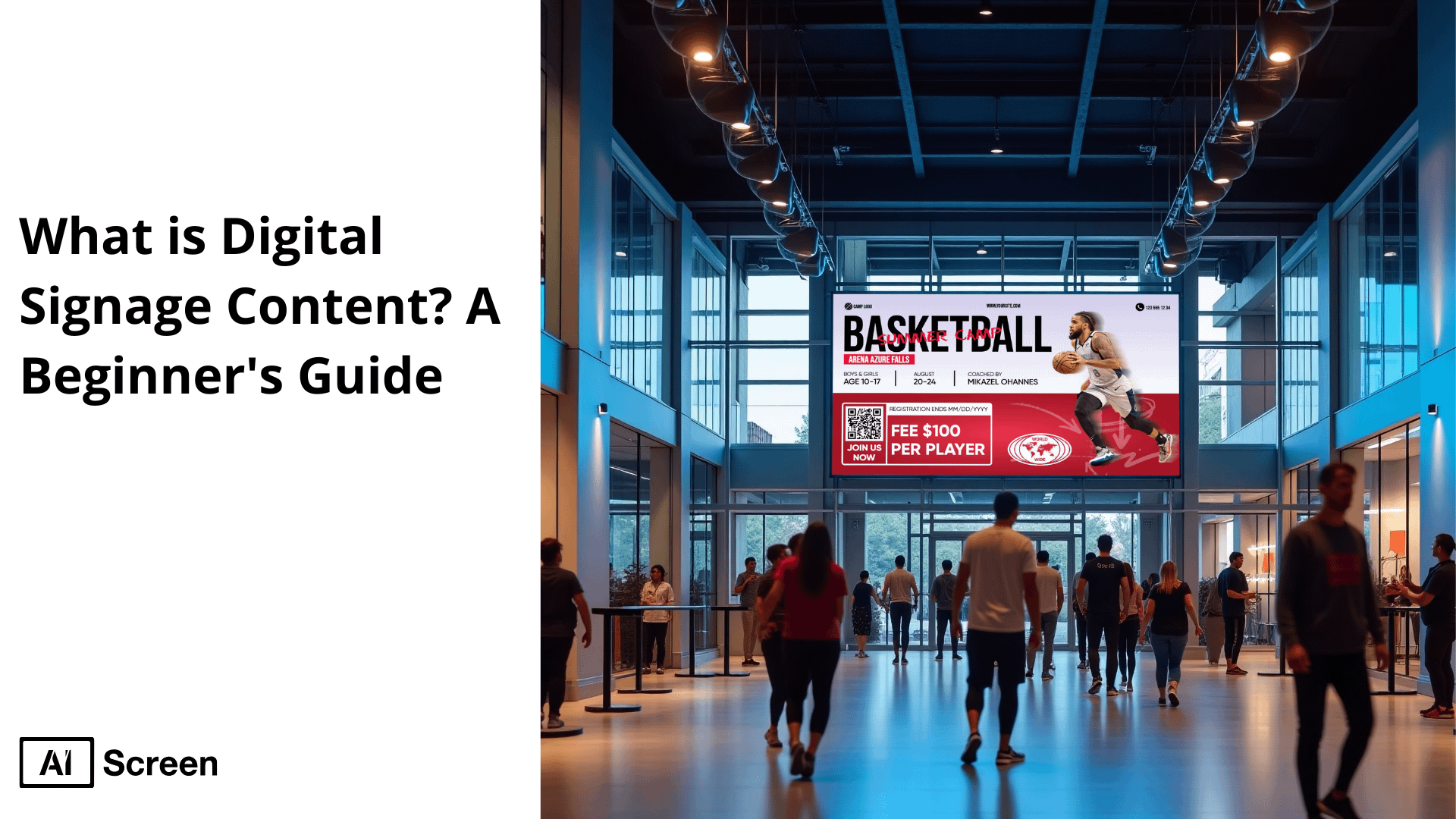
Digital signage content can be defined as multimedia content that appears on an electronic display, such as images, video, text and animations, and that is used to convey information, advertise products or entertain in a public or a private space. The Nielsen Report on Digital Place-Based Video (DPBV) reveals that digital signage content enhances the brand awareness with a 47.7% increase to target audiences.
This post will tell you what makes digital sign content effective, how it works, major formats and parts and strategies to manage content across locations. This is the guide that will help you whether you are a beginner with digital signage or want to enhance the one you have.
What is Digital Signage Content?
Digital signage content can be described as visual and digital content, images, videos, animation, text, and interactive content that is displayed on an electronic screen, LCD/LED screen, video wall, kiosk, and digital billboard.
The role of the digital signage content is:
1. Engaging Customers
- Bright colors, motion graphics, video and dynamic images attract more attention as compared to stationary signs.
- Interactive content, like touchscreen or gesture-based interface is a field that welcomes interaction, which makes the experience more memorable.
2. Informing Audiences
- Live updates: schedules, alerts, menu changes, and events information appear in real-time, keeping the viewers updated and creating less of a mix-up.
- Wayfinding and internal communications: Navigational direction and internal calls: offices, hospitals and airports all have directories, instruction and inspirational messages that lead the way and inspire.
3. Promoting Products & Services
- Targeted advertising: it is possible to customise the content based on time, location or audience, pointing out promotions, product demonstration or testimonials at the moment when it is relevant.
- Increases purchase: Research has recommended well-placed digital displays that stimulate impulse purchase or augment brands awareness.
- Cost-effective flexibility: The remote control through the digital signage content management software makes it not necessary to use printed media, meaning that the updates can be done efficiently and multiplied in a short time. The remote control through the headless content management makes it not necessary to use printed media, meaning that the updates can be done efficiently and multiplied in a short time.
Intel Corp reports that 8 out of 10 customers have made an entry in to a store due to an interest of digital sign.
Common Environments
| Environment | Purpose of Digital Signage Content |
|---|---|
| Retail | Showcase products, adjust pricing dynamically, highlight promotions, and guide shoppers. |
| Restaurants | Dynamic menu boards, real-time nutritional information, and order-up displays. |
| Offices & Lobbies | Internal messages, branding visuals, motivational quotes, and wayfinding tools. |
| Hospitals & Schools | Patient updates, event schedules, safety messages, and educational content. |
| Airports & Transit | Flight/train details, alerts, maps, advertising, and timely announcements. |
How Does Digital Signage Content Work?
Digital signage content works by utilizing a cloud-based software platform such as AIScreen to distribute multimedia content, images, videos and interactive contents, directly to screens, including smart TVs, digital menu boards, video walls, and kiosks.
In order to display your content on the screens with the help of AIScreen which is an easy-to-use digital sign software, the following is a simplified procedure to bring moving images and interactive digital sign to the retail stores, restaurants, offices or other areas:
Install and Pair Your Screen
Install and pair your screen is the first step. In order to install your digital displays and connect your preferred media player or smart TV to the digital sign software platform (e.g., AIScreen), perform the actions outlined below:
- Install the AIScreen application to your smart television, media player or any other digital sign platform.
- To see a special pairing code, start the app.
- On the cloud-based CMS, type in the code to connect the screen with your digital sign network.
- Choose the positioning of the display (landscape or portrait) and save it through the CMS.
This process will allow remote configuration of time-sensitive digital content to all your digital sign systems and hardware and automate content push to screens.

Upload Content
Upload content, static images, videos, interactive content, or live feeds into the CMS. With over 1,500 digital menu board templates, including drag‑and‑drop interfaces, you can:
- Include in menu, prices, pictures, videos and QR code of mobile ordering.
- Create font styles, colors, logos, animations and pages.
- Divide sections in menu neatly: appetizers, lunch, mains, drinks, and specials.
This would replace the conventional hardcopy signage and become an active digital menu board personalized to your brand and the target market.

Playlist Creation & Schedule
Playlist creation & scheduling are essential steps. You can arrange your uploads with the CMS into playlists and allocate zones to displays or touchscreen areas, determine playback sequences and pre-plan content in your digital sign virtual estate.
Utilize ‘playlist creation’ to combine promotional graphics, videos, and interactive displays that target specific audiences and times. Content management systems enable automatic, remote distribution and timely updates, even when the system is offline.

Send Content to Screen
Send content to the screen via the network, after scheduling of content in the CMS. The playback is locally controlled by each of the devices; hence when there is no internet, playback remains smooth.
This digital sign option eliminates the use of rigid displays and printed information and signage with flexible, real-time updates, outstanding customer service, motivation of busy places with multiple people, and sales boosted by transparent and nice looking dynamic multimedia content.

What Are the Key Components of Digital Signage Content?
Key components of digital signage content are crucial in making effective and engaging text on digital display signs.
Be it the retailing premises, medical centres, dining outlets, or offices, whatever may be the setting, high-quality information depends on a combination of the multimedia features to grab the attention of the target/clientele base and define customer interaction. What makes digital signage content successful can be divided into the following:
Text
Text contains eye catching headlines, descriptive captions, and readable digital menu. Text messaging should also be clear and direct regardless of the kind of digital signage and this is highly necessary when it is intended to be used in high trafficked areas or by internal company communication purposes. It explains your display content to the viewers with little effort.
Images
Images, both static and animated, are the bones of most digital signage systems. Whether it is the product shot, branded background, still images supplement storytelling, and animated images enhance interactive digital signage solutions around crowd-based environments and stores.
Video
Video is one of the most engaging forms of digital content. Businesses can use it to promote any deals, product demonstrations, or service lists.
Videos are highly featured on large-scale monitors and projection screens and are able to capture them as well as convey messages very fast, particularly when used over a digital signage network setup using a centralized CMS.
Animations
Animations offer life and movement on your multimedia work and make the digital screens interactive and captivating to the audience. They assist in preconization of important messages, establish the visual hierarchy, and help support touchscreen functionality in interactive displays serving the functions of navigation or user input in the context of smart TV or media player devices.
Audio
Audio elements like background music, voiceovers, or sound effects enhance the atmosphere of a display. Audio can backup the brand tone in such settings as restaurant menus, outdoor advertising, or in the corporate world, where overall viewer experience can be enhanced.
Live URLs
Live URLs allow integration with web-based data sources. They bring real-time updates to digital signage solutions, such as social media feeds, weather, news tickers, or user-generated content, ensuring your digital sign software delivers dynamic, timely messages.
What is the Formats of Digital Signage Content?
Formats of digital signage content refer to the various media types used to deliver messages through digital sign displays. These displays are also vital in the provision of unambiguous captivating content in retail outlets, eateries, corporate offices, and suchlike.
Driven by a CMS such as AIScreen, all of the formats have their own individual purpose of utilizing the customer in making the maximum engagement and replacing traditional print signages.
Main formats include:
- Static Images: Ideal for quick messages, menus, or branded visuals. Easy to update using digital sign software.
- Videos: Best for promotions, product demos, and storytelling.Great for large-format displays or video walls.
- Animations: Add movement to highlight key messages and boost engagement.
- Interactive Displays: Enable users to engage via touch, perfect for kiosks and smart TV applications.
- Multi-Screen Setups: Used in digital signage networks for immersive experiences in high traffic locations.
Format Comparison Table
| Format | Purpose | Best For |
|---|---|---|
| Static Images | Clear, quick messaging | Menus, retail ads |
| Videos | Visual storytelling | Branding, product demos |
| Animations | Visual enhancement | Transitions, attention-grabbing slides |
| Interactive Displays | User engagement & input | Kiosks, product searches |
| Multi-Screen Displays | Immersive experience | Video walls, events |
What Strategies You Need to Follow for Digital Signage Content

The strategies you need to follow for digital signage content involve more than just uploading visuals to your digital signage displays. Businesses have to be creative in order to make the best out of the digital sign but at the same time planning is important.
Regardless of whether you have smart TVs, LCD screens, and large digital signage hardware scenarios, these tips should see to it that your display content is successful, attention-generating and goal-focused in today digital signage world that is very competitive.
Define Clear Objectives
Define clear objectives to guide your content creation efforts. Do you want to increase brand awareness, enhance customer interactivity, generate full sales as well as offers that are time bound?
The tone, visuals, and messages that you have on your digital signage items will be influenced by your goals, which makes them more specific and directed concerning the retail stores, corporate, or open areas.
Implement Strategic Scheduling
Implement strategic scheduling by using content scheduling features within your digital signage software. Switch out copyright messages according to time of day, to customer demographics, or traffic flow.
An example would be lunch offers through digital menus board at lunch time or relaxing imagery at other periods on the indoor digital screen. Intelligent scheduling of messages will enhance the relevance of the message and it will escalate response by viewers.
Adapt Content for Different Environments
Adapt content for different environments by tailoring it to the physical setting and screen type. In outdoor digital signage, thick fonts, bright contrast images and as small as possible text should be used.
Use the more descriptive content or animated softer in the corporate buildings or in relaxed visuals. When working with effective use of digital signage, it is important to remember to make adjustment to completion of content to display screens and the environment.
Monitor Performance and Gather Feedback
Monitor performance and gather feedback to continuously improve your strategy. Use built-in analytics in your content management system to track impressions, engagement, and performance.
Combine that data with customer or employee feedback to optimize your digital signage technology. This ensures you’re not just broadcasting content, but making a real impact.
Digital signage content increases sales by up to 29.5% when used to promote in-store promotions or featured items, according to Harvard Business Review.
How Do You Manage Digital Signage Content Across Multiple Locations?
Managing digital signage content across multiple locations is a key concern for businesses operating in different cities, branches, or even countries.
As more and more organizations implement the digital signage technology, it may be difficult to keep the brand consistency and ensure the target marketing message is relayed in all forms of digital signage spots without proper tools.
This is where the centralized digital signage software application will help since you can control, schedule, and change contents of all screens.
Challenges of Multi-Location Management
Challenges of multi-location management include maintaining the same content in display, time zone management, giving updates to promotional content in a synchronized manner, and the trouble-free functionality of the digital signage equipment.
Without suitable systems, companies face a risk of putting old-fashioned or out-of brand messages in heavily visited places such as retail stores or corporate buildings.
Tools to Manage Multiple Locations
Tools to manage multiple locations begin with a reliable CMS. These cloud-based systems enable their clients to publish, schedule and manage digital content on the diverse display screens through a single dashboard.
Centralized management of smart TV, LCD screens, or outdoor digital signs allows the consistency of the brand and ensures that the content is regularly updated.
Key features include:
- Scheduling of remote contents.
- Location-specific targeting.
- Access and user permission.
- Live update on contents.
- Site analytic numbers.
This is particularly helpful when you have to run more than one location and still have unified branding and messaging.
What Apps Can We Use to Create Digital Signage Content?

Apps we can use to create digital signage content play a key role in designing and delivering impactful visuals across digital signage displays.
With AIScreen’s smart digital signage software, businesses can streamline content creation, automate updates, and enhance engagement using built-in tools and third-party integrations. Here are some powerful apps supported by AIScreen:
Canvas
Canvas is the drag-and-drop editor included in AIScreen making the design of digital content easy. It does not need any design skills to layout, produce playlists and control screens that are either informational or advertising in nature, which, amongst other things, suits digital signs within shopping mall stores, corporate offices, and outdoor digital signage.
Canva
Canva integration allows importing custom graphics, presentations, and marketing visuals and insert them directly into the AIScreen dashboard. It can maximize your use of digital signage as it enables design without interruption and branded templates, which are ideal in enhancing brand awareness.
YouTube
YouTube gives you a chance to incorporate the videos of your brand channel. You should be able to roll out tutorials, product showcasing or entertainment through youtube content to keep the display screens lively. Ideal to use with retail messages and lobby prints within corporate buildings.
Google Slides
Google Slides does not require much effort to edit presentations and announcements. Combined with AIScreen, changes can be made and will be synced across all digital signage screens making sure no changes will have to be made manually at different locations.
Social Media Integrations
Social media integrations are the real-time posts of Facebook, Instagram, or Twitter. These live feeds assist in growing the involvement of the customers, encouraging user-created content, and maintaining your screens with different content ideal in case of interactive displays where many people pass.
Weather and news apps
Weather and news apps will keep your digital signage auto-updated with the local forecasts, breaking headlines, and alerts. These data widgets add value to your electronic signage and render it more helpful to use either in the streets or corporate lobbies.
What are the Examples of Good Content for Digital Signage?
Examples of good content for digital signage depends on your goals, whether it’s sharing live data, boosting employee communication, or promoting products in-store.
AIScreen’s powerful digital signage software supports a wide range of content types to help businesses deliver dynamic, engaging messages across digital signage displays, smart TVs, LCD screens, and more.
Here’s a breakdown of top-performing formats that enhance communication, customer engagement, and brand recognition.
Live URL
Live URL content lets you display real-time web pages, such as dashboards, calendars, or booking forms, by simply embedding a URL. AIScreen updates it automatically, making live URL integration ideal for operational visibility or remote collaboration across corporate buildings and production floors.
News & Events
News & events content keeps your audience informed with live RSS feeds, company announcements, or event schedules. It’s perfect for digital signage screens in lobbies, offices, and public spaces where real-time updates matter.
Sales & KPI Dashboards
Sales & KPI dashboards like a TV dashboard allow real-time tracking of sales data, metrics, or performance reports using Google Sheets, Power BI, or other tools. Great for executive offices, retail stores, and production areas needing at-a-glance insights.
Digital Signage Templates
Digital signage templates offer ready-to-use, professionally designed layouts for everything from directories to promotions. With over 1,500 digital signage templates available in AIScreen, content creation becomes quick and easy, even for non-designers.
In-Store Promotions
In-store promotions using retail digital signage highlight flash sales, seasonal offers, or loyalty campaigns. These eye-catching display content pieces increase conversions and drive purchases at the point of sale in high traffic locations.
Digital Menu Boards
Digital menu boards let restaurants showcase pricing, combos, and meal images through customizable templates. With easy updates and appealing visuals, it’s a must-have for QSRs, cafes, or food courts using digital signage hardware to drive daily decisions, making digital menu boards an essential tool for modern food service environments.
Building Directories
Building directories content helps guide visitors using static or interactive layouts. Ideal for lobbies, multi-tenant buildings, and campuses, this format enhances wayfinding with clear, professional display screens, making building directory a key element of modern navigation systems.
Employee Communication
Employee communications content boosts morale and internal updates by displaying HR messages, team highlights, or motivational content on digital signage systems in break rooms, hallways, or corporate settings, making it an effective tool for enhancing employee communication across the organization.
User‑Generated Social Media Feeds
User-generated social media feeds, such as an Instagram social wall, let you display live hashtag campaigns or real-time posts. With AIScreen’s integration, it creates authentic engagement, ideal for events, storefronts, or hospitality venues.
How to Create Effective Digital Signage Content?
Creating effective digital signage content starts with a simple, streamlined workflow that helps you design, organize, and publish visuals that grab attention and communicate clearly. Here’s a quick, practical guide to get started:
- Log in to your digital signage account to access your content dashboard and creation tools.
- Connect your screen to the digital signage software so you can manage updates and publish content remotely.
- Use ready-made templates or create a custom design in Aura Studio to maintain consistent branding and save time.
- Build a content playlist by arranging your visuals—images, text, videos, or widgets—in the order you want them to appear.
- Schedule your content or publish it instantly across all connected screens for real-time communication.
For a detailed content creation strategy, read the full guide: How to create a digital signage content strategy.
How Can Businesses Measure the Effectiveness of Their Digital Signage Content?

Businesses can measure the effectiveness of their digital signage content, which is essential for improving messaging and maximizing ROI.
With AIScreen’s powerful digital signage software, companies can track performance metrics across digital signage displays, LCD screens, and interactive displays to determine what works.
Whether you’re using content for marketing messages, promotions, or informational purposes, these methods help businesses make data-driven decisions.
Sales Data
Sales data is one of the clearest indicators of content success. By analyzing the correlation between promotions shown on digital displays and actual sales spikes, businesses can measure the impact of specific campaigns.
AIScreen helps you sync promotions across smart TVs and digital signage hardware, making it easier to track outcomes across locations.
Customer Engagement
Customer engagement can be measured by tracking how long people view the content or interact with touchscreen capabilities on interactive displays.
Features like QR code scans, menu selections, or on-screen actions help assess the depth of viewer interaction, especially in retail stores and high-traffic locations.
Feedback
Feedback is vital for understanding how your digital signage content is perceived. Businesses can gather direct input through surveys or on-screen prompts using AIScreen integrations.
Whether it’s through employee polls in corporate settings or satisfaction surveys in public spaces, feedback helps refine your content creation strategy.
60% of businesses report increased customer engagement after deploying digital signage with targeted content, according to the Digital Signage Today Industry Survey.
Create High Quality Digital Signage Content with AIScreen
Create high-quality digital signage content with AIScreen to boost engagement, share real-time updates, and promote your business effectively across any industry.
AIScreen, a leading provider of digital signage solutions, makes it easy to design, schedule, and manage content using powerful tools like drag-and-drop editors, live feeds, and templates.
Whether you run a retail store, restaurant, or office, AIScreen’s cloud-based software helps you deliver professional content across all your digital signage displays with ease and impact.
Frequently Asked Questions
Why is Digital Signage Content Important?
Digital signage content is important because it attracts attention, delivers key messages, and boosts brand visibility. It drives engagement on digital signage displays across various industries.
Can I Use Digital Signage Content for Advertising?
Yes, you can use digital signage content for advertising. It’s ideal for promoting products, offers, or campaigns using digital signage software on smart TVs or outdoor digital signage.
What Is the Role of a Digital Signage Content Management System (CMS)?
The role of a digital signage CMS is to manage, schedule, and update content across all screens. It helps ensure consistency and control for your digital signage network.
How Often Should Digital Signage Content Be Updated?
Digital signage content should be updated regularly to stay current. Use content scheduling tools like AIScreen to automate timely updates based on promotions or events.
Is Digital Signage Content Suitable for All Industries?
Yes, digital signage content is suitable for all industries. From retail digital signage to corporate communications, it supports a wide range of needs with dynamic, visual messaging.


